
Summary
Time is money on the construction site. When the cement mixer is running and the excavators are humming, you can’t wait for someone to bring a new plan from the office. But a site shed is not a cleanroom. Construction dust, temperature fluctuations, moisture, and welding spatter are the enemies of sensitive electronics. Most office plotters won’t last a week in this environment. Which machine is site-proof, reliably prints your A0 plans right through the dust, and can take a beating? The HP DesignJet T830 MFP is built like a tank and designed for exactly this challenge.
The Challenge: Construction Environment vs. Precision Electronics
A large format printer is a marvel of precision. A printhead moves back and forth at high speed and sprays microscopic ink drops (picoliters) in exactly the right place. The construction site is the natural enemy of this process.
1. Dust and Grit
Concrete dust, plaster, sand, and sawdust float everywhere. This dust is:
- Abrasive: It creeps between the gears and the belt of the printhead carriage, causing them to jam or wear out.
- Clogging: It settles in the nozzles of the printhead, causing streaks in your prints.
- Insulating: A layer of dust on the electronics causes overheating.
2. Moisture and Temperature
A site container is cold and damp at night, and hot during the day.
- Paper: Paper is hygroscopic (attracts moisture). In a damp shed, the paper becomes limp and starts to wave (“cockling”). This can lead to paper jams or even damage the printhead, which hits the paper.
- Condensation: Condensation on circuit boards can cause a short circuit.
3. Shocks and Vibrations
Pile driving, heavy freight traffic, cranes. A construction site vibrates. As a result, a standard office plotter can lose its calibration, meaning lines are no longer straight or colors shift.
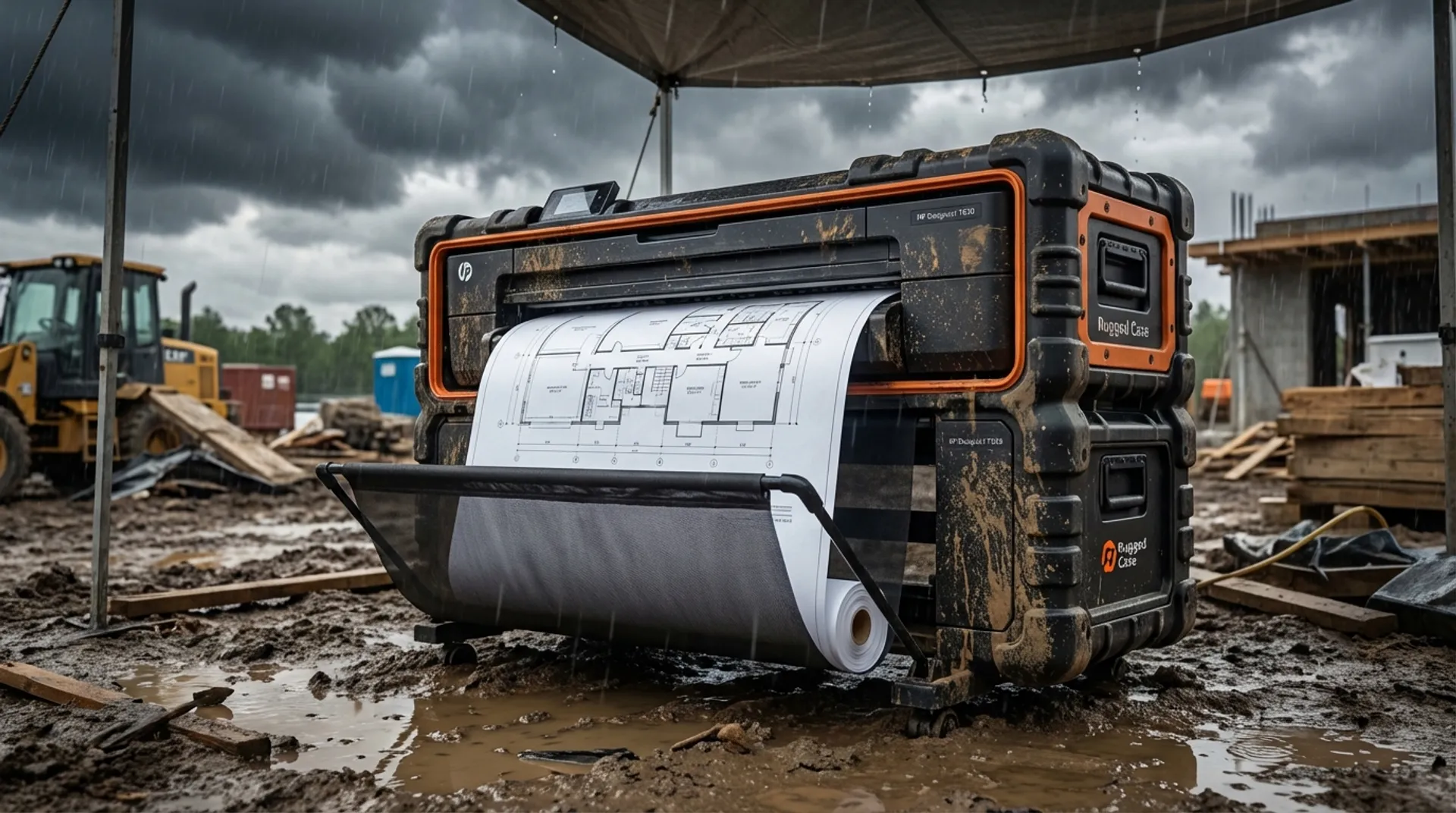
The Solution: HP DesignJet T830 MFP “Rugged”
HP understood that contractors needed a machine that bridges the gap between the office and the construction site. The T830 MFP is the result. No fragile plastic covers, but a robust casing.
1. Rugged Case
The T830 is available with an optional Rugged Case. This is a flight case-like enclosure that protects the printer during transport and use.
- Wheels: Large, rubber wheels to be driven over uneven terrain (pebbles, road plates).
- Shock absorption: The printer hangs in rubbers so that vibrations from transport are not passed on to the mechanics.
- Reinforced Legs: No wobbly stand, but a wide frame that stands stable, even if the floor of the shed is not level.
2. Dust and Moisture Protection
The T830 has specific features to protect the printhead and media.
- Closed Roll-Cover: The paper roll is not exposed, but behind a sturdy flap. This keeps dust and direct moisture away from the paper.
- Automatic Cutter: The knife is self-sharpening and built robustly to cut even thicker media (such as Tyvek or film) effortlessly without jamming.
3. MFP: The All-in-One Site Manager
The “MFP” stands for Multi-Function Printer. It can print, scan, and copy up to 91.4 cm (36 inches) wide. This is crucial on the site.
- A subcontractor comes in with a signed off plan full of red remarks.
- You scan this in immediately.
- The scanner is a CIS scanner (Contact Image Sensor) which is more robust (no camera with lenses that get dirty) and perfectly suited for line work.
4. Wi-Fi Direct: No Internet? No Problem.
In the start-up phase of a project, there is often no fixed internet connection or 4G router in the shed yet.
- The T830 creates its own Wi-Fi hotspot.
- The site manager, architect, or client can connect directly to the printer’s network (“HP-Print-T830”).
- You print directly from your smartphone or tablet via the HP Smart App, without the intervention of a router or IT department.
Business Fundamentals: The Reduction of Failure Costs
Why would you invest € 4,000 in a printer on the site if a plan at the repro shop costs € 5? The answer lies in the failure costs.
Scenario: You are pouring a concrete floor based on plan v3. The architect emailed plan v4 yesterday with a modified recess for the elevator. But the foreman had no printer, and his tablet was empty/unreadable in the sun. He continued working with the paper v3 that was in the shed.
- Consequence: The elevator doesn’t fit.
- Costs: Sawing out concrete, restoring reinforcement, delay of the elevator installer. Damage: € 5,000 - € 25,000.
One such error costs more than the entire printer. With a T830 on the site, the rule is: “Every morning we print the latest version.” The ROI of a site printer is not the ink savings, it is the insurance against construction errors.
Media & Supplies: Tyvek is Your Best Friend
On the site, paper is vulnerable. Rain, mud boots, coffee, a gust of wind. A plan on standard paper (80 g/m²) tears and pulps.
The T830 is perfectly compatible with Tyvek.
- What is Tyvek? A synthetic material (spun polyethylene). It looks like paper, but is untearable and water-resistant.
- The Test: Print a plan on Tyvek. Throw it in a mud puddle. Rinse it off with the garden hose. The plan is still perfectly readable and usable.
- Costs: Yes, Tyvek is more expensive per roll. But if you have to reprint a paper plan 3 times because it is wet/torn, Tyvek is cheaper. And the professional image to your client is priceless.
Europlan Service for Construction
Europlan understands that construction works differently than an office.
- Rental / Short Term Lease: Do you only need the plotter for 9 months for a specific project? We rent out machines including service and supplies. After delivery, we pick it up again. No depreciation, no hassle.
- Rugged Case: We can deliver the T830 in a custom-made flight case with wheels and handles so that it can move safely from site to site.
- Fast Swap: Is the machine still stationary due to a defect? We guarantee a quick intervention (Next Business Day) or immediately deliver a replacement device to the site, so that construction does not stop.
Conclusion: Digitization Does Not Stop at the Shed Door
With the right hardware, you bring BIM and digital precision right into the mud. The HP DesignJet T830 MFP is not just a printer; it is an essential tool for the modern contractor who wants to avoid failure costs and communicate efficiently. It is your reliable partner in the fight against construction errors, rain or shine.
Ready to professionalize your construction site?
Read also
- Remote management of printers: How the IT department manages 50 locations from one central dashboard
- HP DesignJet vs. Epson SureColor: The honest comparison for the architect in 2026
- Product/Solution: discover our AEC solutions
Discover our rental and purchase options for the construction sector