
Summary: The Business Case in Short
The step to automatic folding has been taken. But now the question arise: should the folding machine be physically linked to the printer (Inline), or do you choose a standalone unit (Offline)? The choice depends on your volume, variety of print jobs, and available space. Inline (such as HP PageWide with Top Stacker/Folder) is the king of speed and “set-and-forget” for large batches. Offline (such as ROWE VarioFold) offers flexibility: you can fold plans from 3 different printers on one machine. In this article, we help you make the right choice.
1. Inline Folding: The Speed Champion
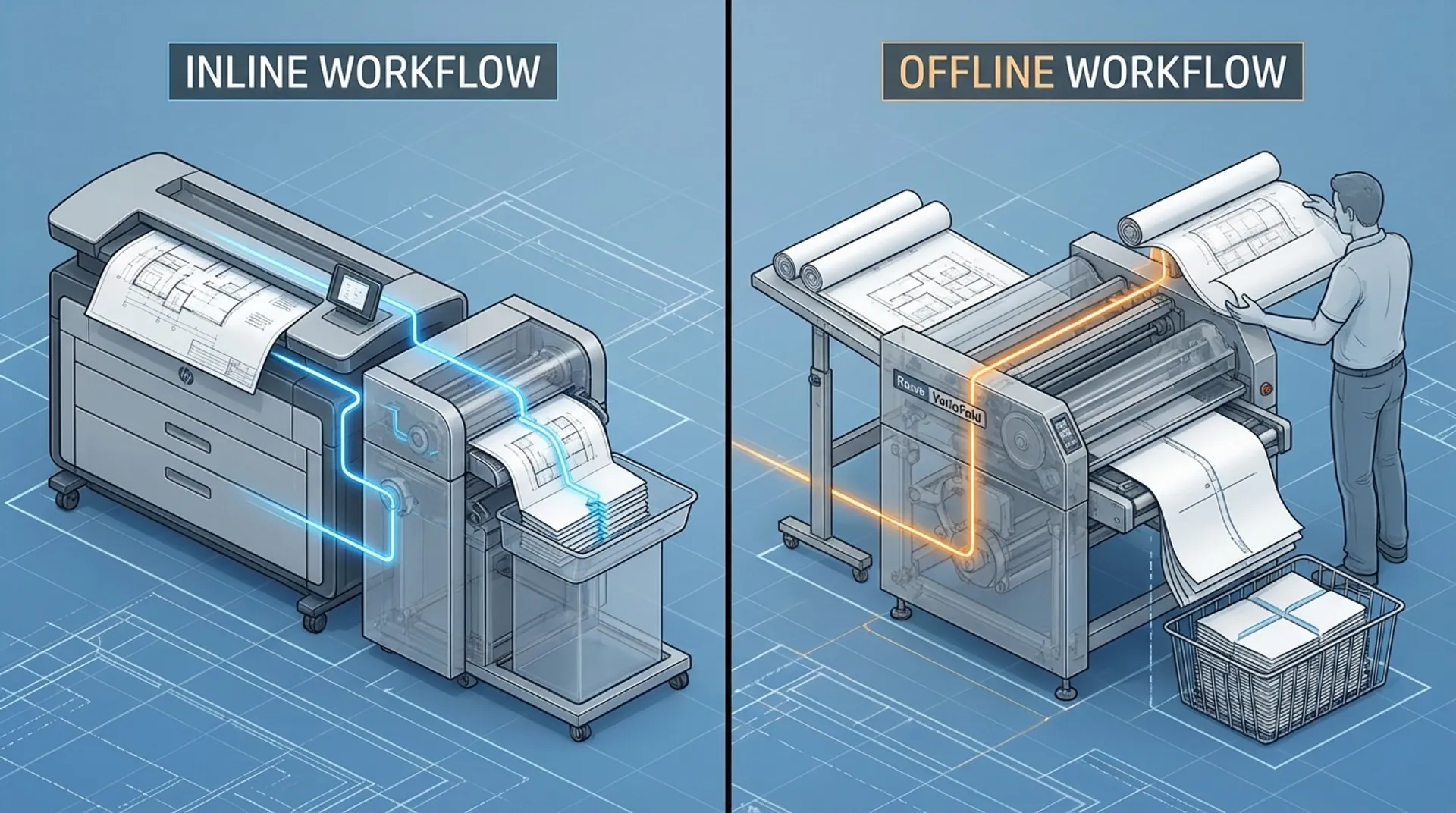
In an inline system, the print rolls out of the printer directly into the folding machine.
- Advantage: Total automation. You send a set of 100 plans to the printer, and at the end, 100 neatly folded A4 packages are ready. No manual intervention.
- Disadvantage: If the printer stops, the folding machine also stops. And vice versa: a malfunction in the folder blocks the printer.
- Best For: Reprographic houses and architecture firms that run large volumes of the same format daily.
2. Offline Folding: The Flexible Solution
In an offline system, you take the prints from the printer and feed them manually into the folding machine.
- Advantage: You can use one folding machine for multiple printers (color, black and white, inkjet, LED). If one printer is broken, you can still fold.
- Disadvantage: It requires an operator. Someone must feed the prints.
- Best For: Companies with multiple plotters, or volumes that are too low to justify an expensive inline coupling.
Business Fundamentals: ROI Comparison
- Investment: Inline systems are generally more expensive to purchase due to the complex coupling (interface kit) and software integration.
- Labor: Inline saves 100% on handling. Offline saves about 80% (feeding is fast, but not zero).
- Space: Inline systems often take up a lot of length (printer + bridge + folder + collection tray = easily 4 meters). Offline machines are more compact and mobile.
Media & Supplies: Variation
If you print a lot on different media (thick paper, Tyvek, vellum), offline is often safer. Inline systems are optimized for standard 75-90 gram paper. Deviating media can cause jams in an inline line that stop the entire process.
Europlan Service: Hybrid Models
Did you know that hybrid systems also exist? The ROWE VarioFold can be linked “Online” to a printer, but with a simple action, it can also be used “Offline” for other prints. This offers the best of both worlds.
Conclusion: Volume vs. Variation
Choose Inline if you want to “make tracks” with minimal manpower. Choose Offline if you are looking for flexibility and work with multiple print sources. Still doubting?